


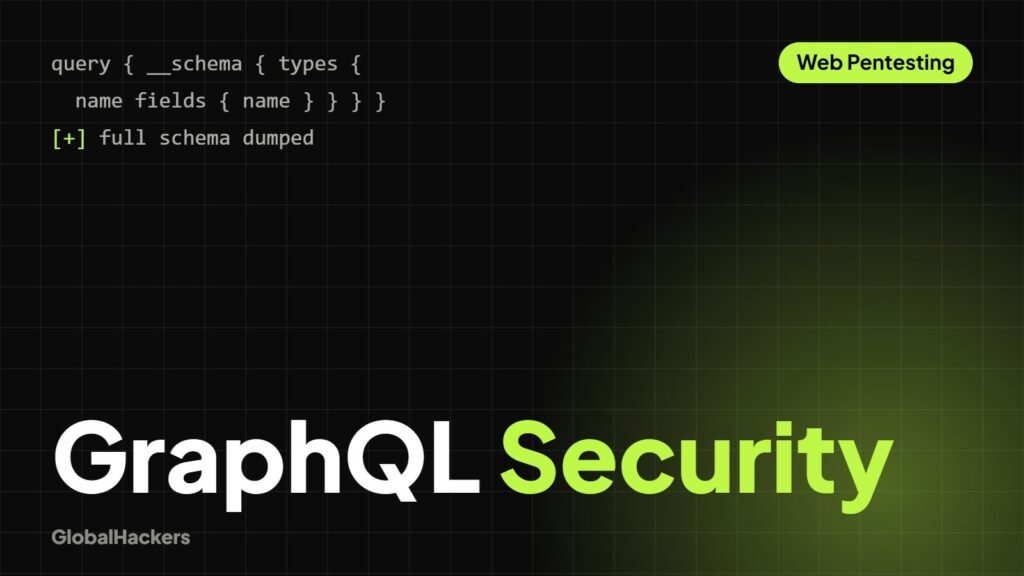
GraphQL has emerged as a powerful alternative to REST for building APIs, offering flexibility and efficiency. However, its unique architecture introduces a new set of security considerations and potential attack vectors that require a different testing methodology.
Why GraphQL Requires a Different Security Mindset
Unlike REST, where endpoints typically correspond to specific resources and actions, GraphQL exposes a single endpoint that allows clients to request exactly what they need. This flexibility, if not properly secured, can lead to:
- Over-fetching/Under-fetching: Less common, but still possible to expose too much data.
- Excessive Data Exposure: Introspection can leak schema details.
- Performance Issues: Deep queries can lead to Denial of Service (DoS).
- Complex Authorization: Permissions need to be enforced at a granular field level.
Step 1: Identify and Access GraphQL Endpoints
GraphQL endpoints typically respond to POST requests to a single URL (often /graphql, /api, /v1/graphql, etc.). Look for indicators in network traffic:
- POST requests with
Content-Type: application/jsonand a JSON body containing"query"or"mutation"fields. - Use tools like Wappalyzer to identify GraphQL.
- Look for interactive explorers like GraphiQL, GraphQL Playground, or Altair.
Step 2: Enumerate the Schema
The first step in testing any GraphQL API is to understand its structure. GraphQL’s introspection feature allows clients to query the schema itself. If introspection is enabled on a production endpoint, it’s a significant information disclosure risk.
- Introspection Query: Send a standard introspection query (easily found online or generated by tools) to dump the entire schema.
- Analyze the Schema: Look for sensitive types, fields, mutations, and queries. Identify potential administrative functions or data not intended for public access.
- Disabled Introspection: If introspection is disabled, try to guess common types/fields, or look for public documentation.
Step 3: Authorization Testing at Field & Object Level
Access control in GraphQL needs to be granular. It’s not enough to authorize access to an entire query; each field must be checked.
- Vertical Privilege Escalation: Can a regular user query fields or types meant only for administrators (e.g.,
adminDashboard,user.passwordHash)? - Horizontal Privilege Escalation: Can User A query data belonging to User B (e.g.,
user(id: "B's ID").email)? - Nested Authorization: Even if a top-level field is authorized, are its nested sub-fields also correctly protected?
Step 4: IDORs in GraphQL Queries and Mutations
IDORs (Insecure Direct Object References) are just as prevalent in GraphQL as in REST. They manifest when an object’s ID can be manipulated.
- Query IDORs:
query { user(id: "123") { email } }– try changing123to other IDs (1, 2, 456, GUIDs). - Mutation IDORs:
mutation { updateUser(id: "123", email: "new@email.com") { id } }– try changing theid. - Node Interface: If the API uses a
Nodeinterface with global IDs (e.g.,VXNlcjoxMjM=forUser:123), ensure these are opaque and still subject to authorization.
Step 5: Mass Assignment & Overposting
GraphQL mutations can often accept a large object as input. If not careful, this can lead to mass assignment vulnerabilities.
- Update Operations: If a mutation like
updateUser(input: { /* user object */ })is used, try adding fields that shouldn’t be mutable by the current user (e.g.,isAdmin: true,role: "admin",balance: 1000000). - Sensitive Fields: Always check if any sensitive fields (passwords, admin flags) can be modified directly through mutations.
Step 6: Business Logic Abuse via Mutations
GraphQL mutations directly expose business logic. Look for ways to subvert the intended flow:
- Price Manipulation: If an e-commerce site uses GraphQL, can you manipulate prices or quantities in mutations (e.g.,
addToCart(productId: "X", quantity: -100))? - State Transitions: Can you force an order to a “paid” or “shipped” state without completing the necessary pre-conditions?
- Rate Limits: Can you bypass rate limits for sensitive actions (e.g., sending multiple friend requests, changing passwords)?
Step 7: Query Depth, Complexity & DoS Testing
The ability to request deeply nested resources can lead to performance issues and Denial of Service (DoS).
- Deep Recursion: Create a query that requests deeply nested relationships (e.g.,
user { friends { friends { friends { ... } } } }). If not limited, this can exhaust server resources. - Expensive Fields: Identify fields that require heavy computation or database lookups. Combine many such fields in a single query.
- Alias Abuse: Use many aliases for the same expensive query to increase server load (e.g.,
query { a: user(id:1){...} b: user(id:2){...} ... }).
Step 8: Injection & Input Handling
While GraphQL generally uses prepared statements for database interactions, other forms of injection are still possible.
- XSS: Inputting malicious scripts into string fields that are then reflected on a web page without proper encoding.
- SQL/NoSQL Injection: If an application builds parts of its query or resolves fields in a custom, insecure way.
- Command Injection: If any field directly interacts with the underlying operating system.
Step 9: Authentication & Token Handling
GraphQL usually relies on external authentication mechanisms (like JWTs or session cookies). Test these as you would for any other API.
- Weak Authentication: Brute-forcing login mutations, weak password policies.
- Session Management: Insecure session cookies, predictable tokens.
- JWT Vulnerabilities: See “Mastering JWT Attacks” for detailed JWT testing.
Step 10: Tools That Help Test GraphQL
- GraphiQL/GraphQL Playground/Altair: Built-in explorers, often reveal schema and allow easy query construction.
- Burp Suite (with extensions): Crucial for intercepting, modifying, and replaying requests. Look for extensions like “GraphQL Raider” or “InQL”.
graphql-voyager: Visualizes the GraphQL schema, making it easier to understand complex relationships.GraphQL-Zeus: Generates a GraphQL client library from your schema, useful for programmatic interaction.
Step 11: Securing GraphQL Endpoints
- Disable Introspection in Production: Only enable it in development environments.
- Implement Field-Level Authorization: Every field and argument should have access checks.
- Rate Limiting: Implement robust rate limiting on queries and mutations, especially expensive ones.
- Query Depth/Complexity Limiting: Configure your GraphQL server to reject overly complex or deep queries.
- Input Validation & Sanitization: Validate all incoming arguments and sanitize any output reflected to users.
- Error Handling: Avoid verbose error messages that leak sensitive information about the backend.
Common Mistakes in GraphQL Security
- Treating it like REST: Applying REST security concepts without understanding GraphQL’s unique attack surface.
- Over-exposing data: Allowing clients to query sensitive data fields that shouldn’t be public.
- No query depth limiting: Leaving the door open for DoS attacks.
- Trusting client-side logic: Assuming the client won’t ask for unauthorized data or perform unauthorized actions.
Certified API Pentesting
Test REST and GraphQL APIs against the OWASP API Top 10, including auth, BOLA and SSRF.